
Tasks & action plans
Not every piece of compliance work is a finding. Tasks & plans, in the My work group of the sidebar, is where assigned, dated work lives. These are the things someone has to do by a date. They can come out of a regulatory change, a calendar obligation, an assessment answer, a consent order, a finding, an exam request, a risk treatment, the failed procedures of a mock exam, a security incident, or a conversation. Reading tasks and plans needs the same permission as reading the Findings tracker. Creating or changing a task or an action plan needs permission to write tasks, which the Owner, Compliance Analyst and Internal Audit roles hold, as does the Business-line owner starting point.
What a task holds
A task is deliberately small. It holds an identifier, a title, an owner, an optional due date, and where it came from. The owner field offers your team roster and links the task to the member you pick. A name that is not on the roster is still accepted as text. A member whose access is limited to their own records or to chosen business units sees only the tasks they own, with a banner saying so, and cannot move a task out of that scope. They can update the action plans they own and the plans for findings in their scope, but they cannot create a task or a plan. Status runs Open, In progress, Complete and Cancelled, with reopening available from either end state. The moves are enforced on the server and not just hidden in the interface, so a task cannot be walked through a path the lifecycle does not allow.
A task that came from somewhere shows its source on the row. That matters more than it sounds. Months later, the record answers "why was this being done" and you do not have to find whoever set it up.
Action plans
An action plan groups ordered tasks under one owner and rolls their completion up as a percentage. It is the pattern the corrective action plan on a finding already uses, generalized so it can hang off anything.
Use a plan when the work has a shape, meaning several steps in order that together answer one obligation. Use standalone tasks when it does not. Both live in the same register and both feed the same dates.
From a regulatory change to a plan
The most common way a plan starts is from Reg updates. Once you have triaged an item as one that matters to you, you create a plan from it. The plan gets an owner and one task per line of work the change opens. The reg-change item then carries its plan identifier and a progress rollup, and links straight through to the tasks.
That closes a gap examiners notice. A triage queue proves you saw the rule. A plan with completed tasks against it proves you did something about it. See Frameworks & regulatory updates for the triage half.
Where task dates show up
Task due dates ride the same date machinery as every other deadline in the product, which means they are not stranded in this screen. They appear on the obligations calendar alongside control tests and policy reviews, and they raise the same reminders, in your institution's timezone. See Dashboard & daily triage for the calendar and the notification settings.
Creating a task from your AI assistant
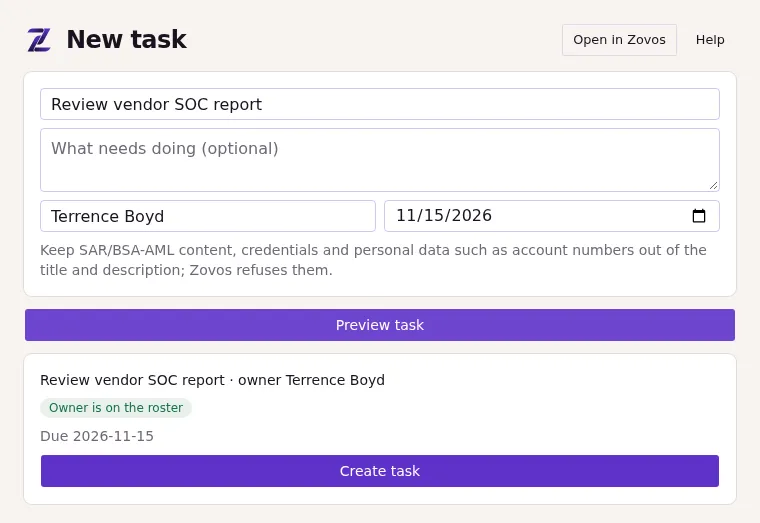
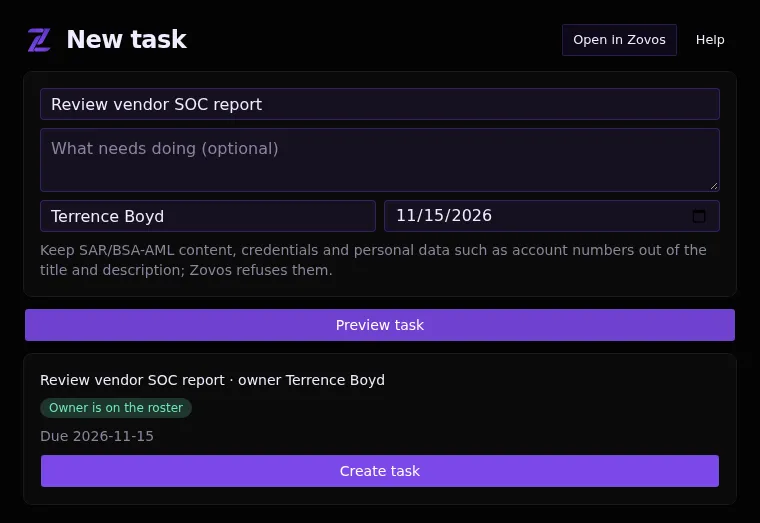
In an AI assistant that shows Zovos screens in the chat, such as Claude, ask to create a task and it opens open_create_task, a form filled in from what you asked, with the title, a description, the owner and a due date. Preview task checks that the owner is on your team and shows the task, and Create task creates it as open. Keep SAR or BSA content, credentials and personal data such as account numbers out of the title and description, because Zovos refuses them.
Who is reminded
Reminders and assignment notices go to the item's owner rather than to the whole workspace, and a program-level reminder goes to the people who can edit the program. Email goes only to the recipients a notice is addressed to. A member's out-of-office delegate can act on the absent member's tasks and action plans, recorded as acting for them. A proposed action plan that was declined needs to pass the accept gate again before it comes back.
Notes and limits
This is a work register, not a project management tool. There are no dependencies between tasks beyond the order in a plan, no effort estimates, and no time tracking. If your remediation genuinely needs those, run it in your own tracker and let Zovos hold the governance record. Zovos does not sync with the tracker, so record each completed step and its evidence here.
Tasks are not approvals. Completing one records that a person did the work, but it does not sign anything off. Where a governed decision is required, the work still routes through Approvals & delegation of authority.