
Roles & permissions
Access in Zovos is role-based, and the roles are built around the separation of duties an examiner expects to see. This article explains the roles that ship with the product, the rules that stop one person signing their own work, and how regulator access is handled. It also covers how one person holds several roles, how access groups bundle roles, job families and a scope, and how job families personalize the workspace for each person without changing what they are allowed to do. Owners who need to invite people or change a role should read Set up your team and SSO.
How the model works
Every action in the product is gated by a fine-grained permission. Reading a register, writing to it, approving a specific class of decision, changing settings and granting examiner access each have their own permission. The catalog of permissions is fixed in the product and cannot be extended by configuration. It includes owner permissions that reach only the records a person owns, is assigned or covers for by delegation, a pair of Treasury & ALM permissions, and a board family for the board's records, approvals, ballots and administration.
Acknowledging a finding, attesting to something you own and approving a decision are each separate from writing. Being able to edit a record never lets someone approve it, and being able to approve a decision never lets someone edit the record behind it.
What each role holds is configurable. Role-to-permission assignments are your data, and an owner can edit them or build custom roles for your institution without waiting on us. Enforcement fails closed. A role the system does not recognize gets nothing rather than a default.
You will notice two consequences day to day. Navigation you cannot use is hidden rather than disabled, and a permission change takes effect on the member's next request.
The six roles
| Role | Who holds it | What it can do | What it deliberately cannot |
|---|---|---|---|
| Owner | The chief compliance officer or program owner | All reads and writes, all approvals outside internal audit, settings, examiner grants, publishing documents | See in-progress internal-audit work, because the owner is an auditee |
| Compliance Analyst | Compliance officers and analysts | Read everything outside internal audit. Write drafts, findings, tasks, agent runs, exam prep, risk, controls, third-party risk, partner programs, consumer compliance, AML/CFT and fraud, models, continuity, credit review and security records. Work regulatory changes, from the applicability assessment and impact analysis to comment letters and enforcement triage. Launch and close attestation campaigns. Acknowledge findings and attest to what they own | Approve anything, including the risk approvals that gate partner-program stages. Sign off a finding as approved, decide a SAR, retire a policy, model or AI system, verify marketing conditions, or release a legal hold. Change settings, manage the team, or grant examiner access |
| Internal Audit | The chief audit executive and audit staff | Everything the audit function needs, including audit work. Write findings and tasks. Approve finding closures and audit deliverables, sign off a finding as approved, and conclude supervisory validations | Approve risk acceptances or control effectiveness, which are management decisions audit will later test. Acknowledge a finding or attest as an owner, because audit issues findings rather than answering them |
| Board Read-only | Directors and audit, risk or supervisory committee members | Read the oversight surfaces. Approve policies, the audit plan and reports, and security decisions such as closing a security incident. Policy approval also covers verifying marketing conditions, retiring a disclosure or a CRA assessment area, and recording a policy's board approval. Attest to what they own | Write into any operating record, because it is a consumption and approval surface. Launch or close an attestation campaign, although a director still attests when a campaign is addressed to them |
| Risk Approver | The second-line independent approver, often a CRO or senior risk director | Read everything outside internal audit. Approve risk acceptances, control effectiveness, finding closures, policies, mappings, routing decisions and security decisions. Sign off a finding as approved, conclude supervisory validations, and retire models and AI systems. Attest to what they own | The owner's write set, settings, examiner grants, and internal audit. It does not author regulatory change, triage enforcement actions or launch attestation campaigns |
| Examiner | An external regulator, for one examination | A scoped read-only set plus a closed set of fieldwork actions, for the granted scope and window | Everything else. Every screen refuses an examiner unless it is explicitly examiner-scoped |
The Risk Approver holds every approval that the default Delegation of Authority matrix names it for, so it can fill its signer seat on any governed decision. It approves, and it does not operate.
Custom roles
Custom roles are defined over the same permission catalog, so you can build, for example, a read-only role for a consultant or a narrow role for a business-line owner. An owner creates and edits them in Settings on the Access & SSO tab.
Each custom role also carries three behaviour flags that an owner can switch on or off. The first decides whether the role sees internal notes and pending evidence. The second decides whether it sees every committee rather than only the committees it holds seats on. The third decides whether it is mailed the board pack when the pack is published. The flags are fixed on the six system roles.
A new role can start blank or from one of nine starting points.
The Co-source internal auditor starting point is meant for an outsourced or co-source internal-audit firm doing your internal audit work. The role reads everything, writes only its own internal-audit engagement work, and sits on the internal audit side of the independence wall. It approves nothing, changes no settings, grants no examiner access, carries no behaviour flags and never lands on the board portal. An outside CPA, a credit union's Supervisory Committee audit firm or an independent AML/CFT tester does not use it. They take a scoped, time-boxed and read-only grant on the External auditor lane of examiner access, described below.
The Business-line owner starting point is meant for a first-line manager. The role holds the owner permissions and no area-wide read or write. It reads the records the person owns, is assigned or covers for by delegation, with their child records and evidence, and takes the owner's part of the work on them. That covers task status, action plan updates, self-assessment responses, vendor due diligence and the remediation of the findings it owns, with its evidence. It acknowledges findings, certifies its own controls, attests to the risks it owns, answers internal audit, decides the access reviews it is assigned and sends requests into the second line's queues. It never approves, closes, accepts, triages or edits thresholds, sits outside the independence wall and carries no behaviour flags. It is meant to be held through the Business-line owner access group described below.
The BSA officer starting point is meant for the officer your board designates to decide SAR filings. It holds everything the Compliance Analyst holds, with the same behaviour flags, and adds the SAR decision. An investigator who holds Compliance Analyst recommends, and the BSA officer decides.
The Executive starting point is meant for senior management. The role reads everything outside internal audit, approves risk decisions, attests to what it owns, answers internal audit and acknowledges the findings addressed to it. It writes nothing, changes no settings and carries no behaviour flags.
The Platform administrator starting point is meant for the person who runs the workspace. The role changes settings, manages the team and opens the dashboard. It reads no register and approves nothing, so the person who edits your delegation of authority never signs under it. It grants no examiner access and carries no behaviour flags.
The Treasury & ALM starting point is meant for the CFO, the ALM analyst and the ALCO coordinator. It edits the Treasury & ALM records and reads the risk register, so the key risk indicators and appetite limits its figures feed are in view, but it cannot change risk appetite limits or indicator thresholds, which stay with the second line.
The Board secretary starting point is meant for the corporate secretary, a staff member rather than a director. It keeps the committees and their seats, schedules meetings, builds agendas and board books, records attendance and submits the minutes. It approves nothing, cannot change roles or invite anyone but directors, and cannot export exam packages.
The Outside director starting point is meant for a director who is not on your staff. It reads the meetings, books, minutes and portal panels of the committees the director sits on, casts their own ballot and signature, decides the board's approvals, and attests to what it owns. It reads no operating register, and it is mailed the board pack.
The Loan review starting point is meant for an outsourced loan review firm's reviewer. It reads and writes credit risk review, from the loan universe and the plans to the reviews, their exceptions and the stored reports, and nothing else.
Several roles
A member can hold more than one role, and what they may see and do is the union of those roles. A chief risk officer who holds Compliance Analyst and Risk Approver can both write risk records and approve risk decisions. Maker-checker follows the person rather than the role, so nobody approves a decision they submitted under any of the roles they hold.
An owner sets a member's roles on the Team screen and marks one of them as primary. A member can also hold roles through an access group or from your directory. Every change is written to the audit trail and takes effect on the member's next request.
Roles that cannot be combined
Three rules limit which roles one person can hold together. The product refuses a change that would break one, whether it comes from the Team screen, an access group or your directory.
- Internal audit stands apart. A role on the internal audit side of the independence wall, including a custom role built from the Co-source internal auditor starting point, cannot be combined with any role outside internal audit. An auditor cannot also hold the work they audit.
- The board role stands alone. A member who holds Board Read-only holds no other role.
- The examiner role stands alone. It is held only through the time-boxed grant described below, never beside another role and never through an access group.
Access groups
An access group is a named bundle that an owner builds once and gives to many people. It holds roles, job families and a scope. Giving someone a group gives them its roles and families, and taking the group away removes them again. Anything the person holds directly or through another group stays. Editing a group's roles changes them for everyone who holds it, and a change that would break one of the rules above for any holder is refused with their names. Owners build groups in Settings on the Access & SSO tab, under Access groups, and a group cannot be deleted while anyone holds it.
A group can be built by hand or started from a preset:
- Compliance & AML/CFT officer gives a custom role built from the BSA officer starting point, with the Compliance and AML/CFT & fraud families. The role is created the first time the preset is used if your workspace does not have one yet.
- Chief risk officer gives Compliance Analyst and Risk Approver with Enterprise & operational risk, AML/CFT & fraud, Third-party risk, and Cybersecurity.
- Risk & compliance officer gives Compliance Analyst with Enterprise & operational risk and Compliance.
- AML/CFT & fraud gives Compliance Analyst with AML/CFT & fraud.
- Vendor & continuity gives Compliance Analyst with Third-party risk and Cybersecurity.
- Chief audit executive gives Internal Audit with Internal audit.
- Director gives Board Read-only with Board.
- Executive management gives a custom role built from the Executive starting point, with Executive management. An admin can onboard an executive in one step with it.
- Co-source internal auditor gives the Co-source internal auditor custom role with Internal audit. The role is created the first time the preset is used if your workspace does not have one yet.
- Business-line owner gives a custom role named Business line, built from the Business-line owner starting point, with the Business-line owner family, limited to the person's own records. The role is created the same way.
- CFO, ALM analyst & ALCO coordinator gives the Treasury & ALM custom role with the Treasury & ALM family.
- Board secretary and Outside director each give the custom role of the same name with Board.
- Outsourced loan reviewer gives the Loan review custom role with Credit risk review. It is a guest group. It is held only with an end date and the reviewer's firm, the reviewer signs in as a guest, and the access ends on that date. When a guest's access ends they leave the roster and the people pickers, and an owner can later convert a former guest to staff and choose their roles.
An owner gives a member groups on the Team screen, in the same editor as their roles. If directory synchronization is on, an owner can also map a directory group to an access group on the Directory Sync panel under Integrations in Settings. When your directory adds a person to that group, they receive the access group. When your directory removes them, they lose it and every role and family it granted, while a role they hold another way stays. A directory membership that would break one of the combination rules is not applied, and the refusal is written to the audit trail. Members provisioned by your directory receive their groups only from the directory. Members who sign in with single sign-on but are not managed by your directory are edited in the product like anyone else.
Scope
A group's scope decides which records its roles reach. There are three settings.
- Everything is the default, and every preset except Business-line owner uses it.
- Own records limits the group's roles to the records the person owns.
- Business units limits them to the records of the chosen business units and the units beneath them, plus the person's own records anywhere.
Scope covers reading and writing alike, and it covers acknowledging findings, certifying controls and attesting to owned risks as well. A business-units scope reaches every first-line register that records an owning unit, and a scoped writer can use the register imports for the records it may write. Search and record links return only records in the person's scope. A screen with nothing in scope for the person is absent from their sidebar, and an owned-only register appears only for a member who owns records of that type, with an empty state that explains why. A record outside the scope reads as not found, and the scoped screens carry a line saying whose records they show.
Scope limits only what a person holds through scoped groups alone. If the same permission also comes from a role held directly, from your directory, or through a group scoped to everything, the person is not limited. A role held only through a scoped group also never counts as another approver or administrator. It cannot fill a signer seat, it does not stop the sole-operator override, and it does not count as the last member with settings access.
Job families
A role decides what a person may see and do. A job family describes what the person does, and Zovos keeps the two apart on purpose. A family is never a permission, so it cannot show anyone a screen or record their role does not already allow. A family never changes the price of your subscription either.
A person can hold several families, because most people at a community bank or credit union wear more than one hat. The families follow the three lines of defense, and each one that has a page in Solutions by role is linked below.
| Job family | Line of defense | Read more |
|---|---|---|
| Executive management | First line | Executive management |
| Business-line owner | First line | Business-line owners |
| Treasury & ALM | First line | Treasury and ALM |
| Compliance | Second line | Compliance |
| Fair lending & CRA | Second line | Fair lending and CRA |
| AML/CFT & fraud | Second line | AML/CFT and fraud |
| Enterprise & operational risk | Second line | Enterprise and operational risk |
| Third-party risk | Second line | Third-party risk |
| Cybersecurity | Second line | Cybersecurity |
| Model & AI governance | Second line | Model and AI governance |
| Credit risk review | Second line | Credit risk review |
| Internal audit | Third line | Internal audit |
| Board | Governance | Board |
One more family exists. Platform administration is for the people who run the workspace, and it sits outside the three lines.
At a credit union the Board family reads Supervisory Committee, and Fair lending & CRA reads Fair lending, because the Community Reinvestment Act does not apply to credit unions. The labels follow the charter type in your institution profile.
Presets
A preset fills in a common combination of families in one step. You can add or remove families after choosing one.
- Compliance & AML/CFT officer fills in Compliance and AML/CFT & fraud.
- Chief risk officer fills in Enterprise & operational risk, AML/CFT & fraud, Third-party risk, and Cybersecurity.
- Risk & compliance officer fills in Enterprise & operational risk and Compliance.
- AML/CFT & fraud fills in AML/CFT & fraud.
- Vendor & continuity fills in Third-party risk and Cybersecurity.
- Chief audit executive fills in Internal audit.
- Director fills in Board.
What a family changes
- Sidebar order. My work comes first, followed by the groups the person's families own and then the other groups. Library and Administration come last. Only My work and the groups the families own start open.
- All sections. A switch at the top of the sidebar restores the default order with every group open. That choice and any group a person folds or unfolds are saved for that person.
- Dashboard panels. The dashboard shows every panel that any of the person's families calls for. It never shows more than the person's role allows.
- My work. A person whose only family is Business-line owner opens on a My work home. It lists their own open tasks, the attestation and certification campaigns awaiting them, and the vendors, risks and self-assessments they own. A person who holds Business-line owner with other families sees My work as a panel above the standard dashboard.
Which items appear in the sidebar is still decided by the role alone. A person with no family sees the default sidebar and the dashboard for their role. Owners set families on the invitation, on the Team screen, or through an access group, including one mapped from a directory group, as Set up your team and SSO describes.
Owners, unit heads and delegates
Every first-line record has one accountable owner and an owning business unit. Members are attached to business units, and the head of a unit has read-only oversight of the records of their unit and the units beneath it, with a My unit band in My work. A record's owner, its assignee and the delegate covering for either of them can open the detail and list screens of what they own. A finding's assignee also reads its comments, plan and trends.
A member can set an out-of-office delegate. The delegate can take every owner and assignee action on the absent member's items, and each one is recorded as acting for the owner. Owner reminders for the few record kinds that cannot be delegated stay with the owner.
An admin can open Why can I see this on every register detail screen. It explains why a member can reach a record, citing the roles or access groups that grant it, the ownership history event that made them owner, the delegation they cover under or their unit-head oversight, and it lists who else can. When an action is refused because of separation of duties, the explanation and the disabled button say so.
Separation of duties
- Owners never approve their own items. The owner, the assignee and their delegates cannot approve, close or accept their own item, and the block follows a related record's owner as well, such as a control's owner on its exceptions or a finding's owner on its plan. The approvals queue says which conflict blocks an approval.
- Maker-checker. The person who submits a decision cannot be the person who approves it. When you look at something you submitted, the queue tells you plainly that it is not yours to approve.
- Four eyes on critical items. Critical decisions require two distinct signers.
- Delegation of Authority. An owner-editable matrix decides, for each object type and severity, which roles may approve and how many signatures are needed. Policies route by document tier. The internal audit plan always routes to the audit committee.
- Rationale, always. Every decision requires written rationale, and the approver sees a preview of exactly what they are signing.
- Sole-operator override. In a one-person compliance shop there may be nobody else holding the required permission. Rather than disabling the control, the decision proceeds with a mandatory justification and is tagged in the audit trail as a sole-operator decision, so the compensating disclosure exists. This is the honest handling of a real situation, and it is visible to your examiner.
- Independent AML/CFT testing. Someone who wrote, published, submitted or approved the AML/CFT program or customer due diligence policy during the tested period, or created or edited an AML/CFT training program, cannot prepare or review the workpapers of the internal audit engagement that tests that program, issue its report or sign its approvals. See Internal audit.
More on the queue itself is in Approvals and delegation of authority.
The internal audit wall
The internal audit group is structurally separated as well as permission-gated. Audit titles, metadata and rationale are redacted at the source before they can reach audit rows, notifications, email or chat, so downstream systems are clean by construction. Exports produced by someone without audit rights include audit events as verifiable stubs rather than content.
The existence of audit records is visible, but their content is not. That distinction is deliberate, because hiding existence would break the integrity of the record.
Examiner access
An owner grants an examiner a session that is time-boxed, limited by framework, finding and date range, revocable, read-only apart from a closed set of fieldwork actions, and optionally pinned to an IP range. The same grant has an External auditor lane for an outside CPA, a credit union's Supervisory Committee audit firm or an independent AML/CFT tester. Its session lasts until an engagement end date the grantor sets, up to 90 days, and the banner shows that date. The examiner sees a persistent banner naming their scope and a countdown to expiry, and every grant and revocation is audited. Within the grant, an examiner can open the control catalogue with its tests and attestations, documents, findings, and record links and search, and each shows only what the grant covers. A grant that names no framework shows no controls. Internal notes are hidden. Whole areas refuse examiner access entirely as management work product. Those areas are board governance and minutes, the live decision register, and launch delta. Material from one regulator is never visible in another's session.
The role editor in your AI assistant
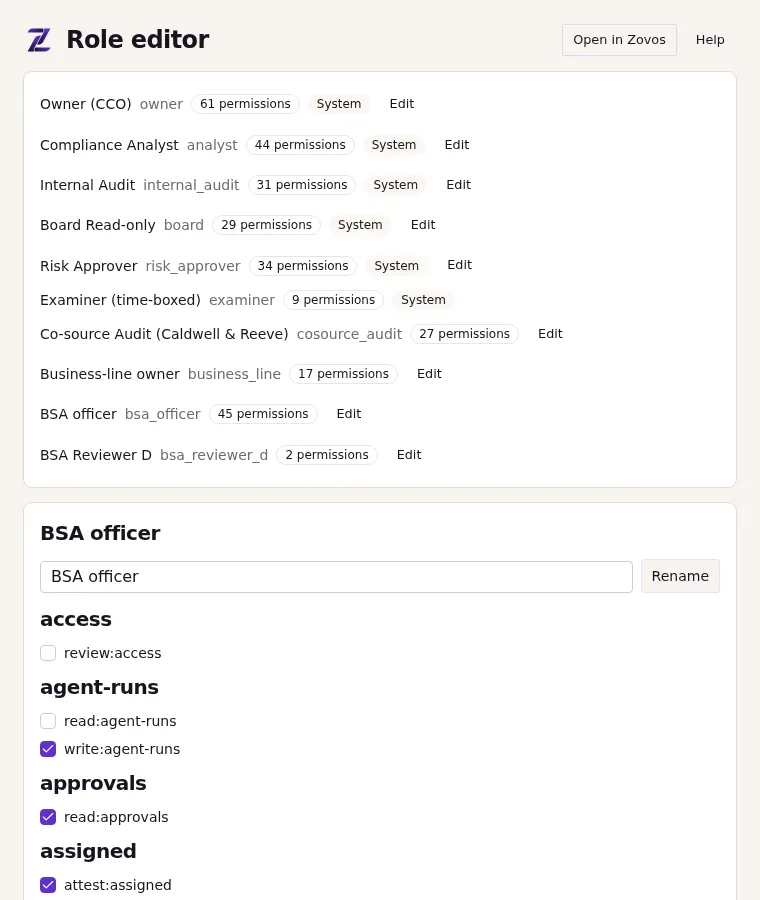
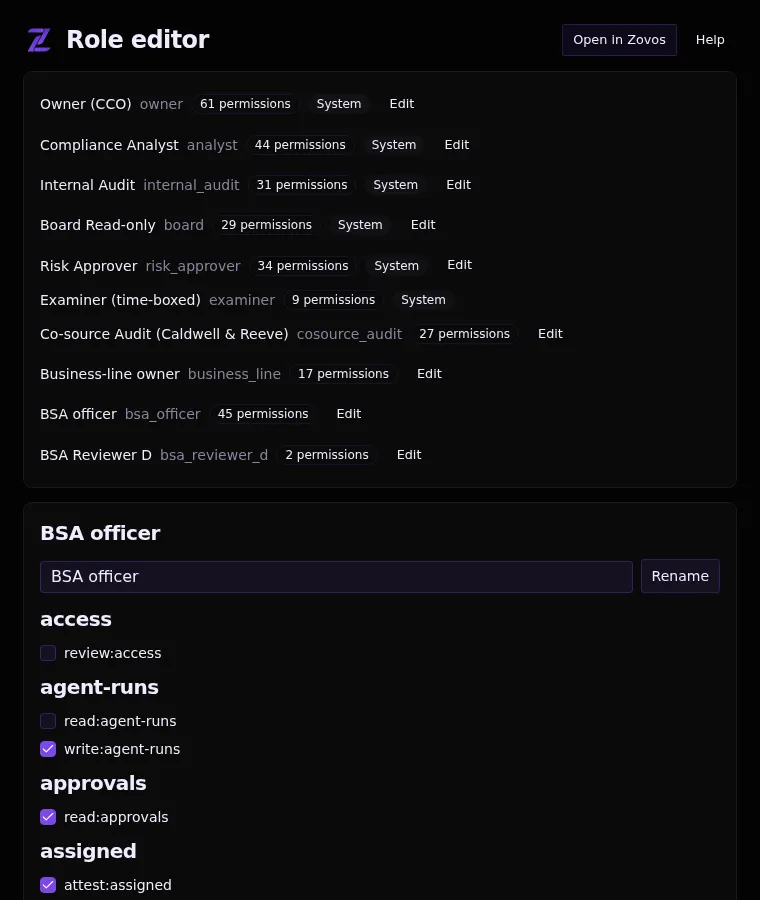
An owner can manage roles from an AI assistant that shows Zovos screens in the chat, such as Claude. Ask to open the role editor and it opens with open_role_editor. It lists every role with its claim value and its number of permissions, with Edit on each one except the reserved examiner role.
Editing a role shows its permissions as a checklist grouped by area, from the same catalog the web app uses. Preview changes lists what the change would add and remove, and Confirm saves it. A role can be renamed, and Delete role removes a custom role after you confirm. The six system roles cannot be deleted. A new role takes a name, the claim value your identity provider sends for it, and its permissions.
The role editor takes the settings permission, as the Access & SSO tab does, and the same refusals apply. The examiner role stays reserved, the internal audit wall holds, and the workspace always keeps someone who can change settings. The behaviour flags described above are set on the Access & SSO tab.
Notes and limits
- The examiner role cannot be granted through your identity provider or an access group. It is reserved for the time-boxed grant, so a directory misconfiguration can never hand a regulator standing access.
- Guardrails prevent locking yourself out. System roles cannot be deleted, the examiner permission set is locked, and you cannot strip settings access from your own role or from the last role that holds it.
- Every role and permission change is written to the audit trail, and you can export access-control evidence for an exam binder. See Audit trail and exports.